TrueNAS if storage integrity is the priority and you want ZFS done properly. Unraid if you want to mix drive sizes, add one disk at a time and run containers with the least friction. Proxmox if virtualization is the point and storage is secondary. They are not really competitors — they optimise for different first jobs.
Choosing between them is mostly a question of what you want the machine to be best at, because each is excellent at one thing and merely adequate at the others.
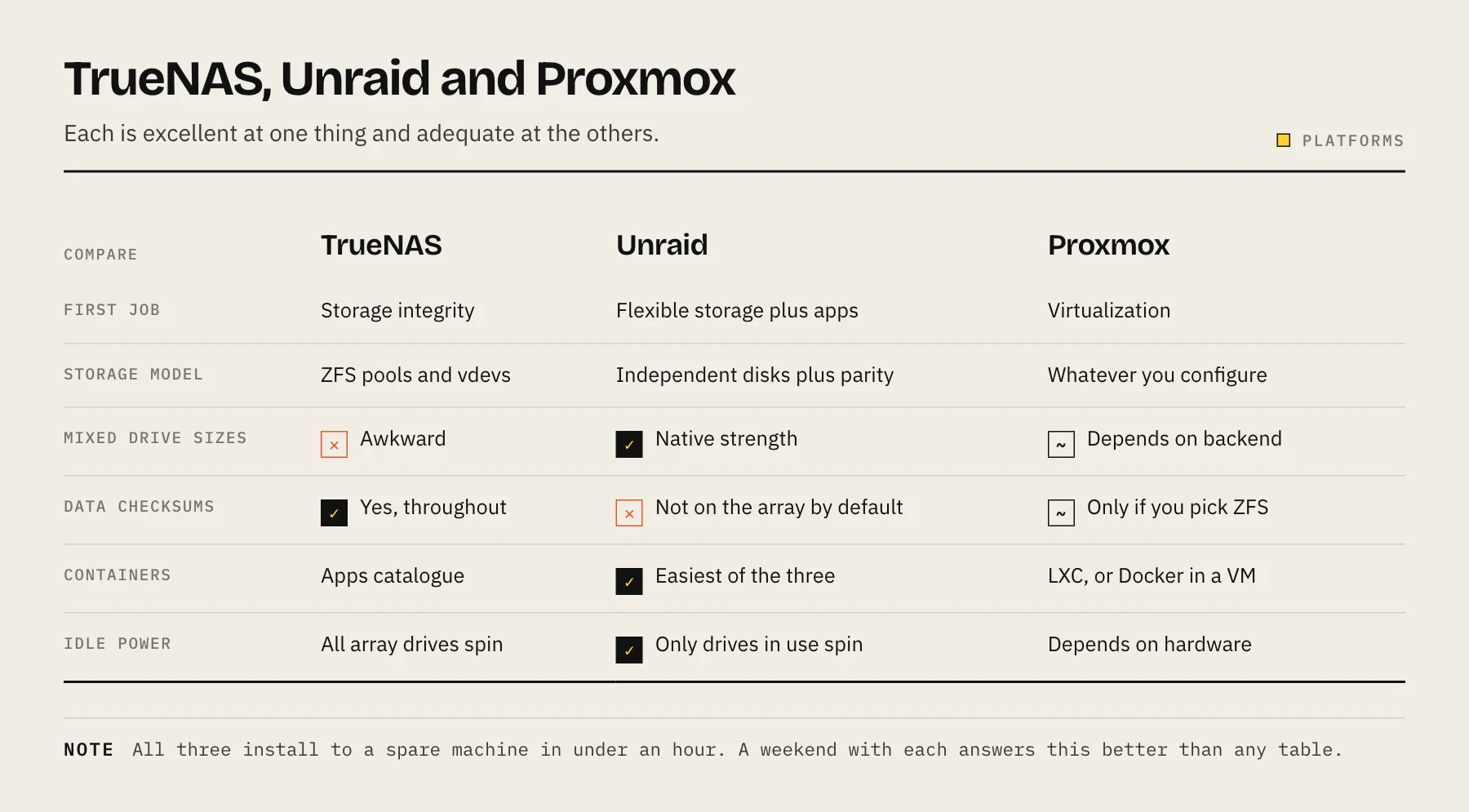
The short version
| TrueNAS | Unraid | Proxmox | |
|---|---|---|---|
| First job | Storage integrity | Flexible storage + apps | Virtualization |
| Storage model | ZFS pools and vdevs | Independent disks + parity | LVM, ZFS, Ceph — your choice |
| Mixed drive sizes | Awkward | Native strength | Depends on backend |
| Add one disk at a time | Improving | Yes | Depends on backend |
| Data checksums | Yes, throughout | Optional, not on array by default | If you choose ZFS |
| Containers | Apps catalogue | Excellent, very approachable | LXC; Docker usually inside a VM |
| Virtual machines | Supported | Supported, good GPU passthrough | Best in class |
| Cost | Free | Paid licence | Free, paid support available |
| Idle power | All array drives spin | Only drives in use spin | Depends |
TrueNAS
Built around ZFS, and that is the entire pitch. Every block is checksummed and verified on read; with redundancy, corruption is repaired automatically. Snapshots are instant, compression is usually a net performance win, and zfs send/receive gives you efficient replication to another machine.
Choose it when the data is the point — irreplaceable photos, documents, anything where silent corruption would be discovered years later.
Live with: ZFS's structure. Pools are built from vdevs of matched drives, and historically you could add a vdev but not grow an existing RAIDZ one disk at a time. RAIDZ expansion has landed in OpenZFS and is available in TrueNAS from 24.10 (Electric Eel), one disk at a time — verify your release includes it before planning around it. All drives in a vdev spin together, so idle power is higher than Unraid's.
Applications run through the apps catalogue, which is capable but has been through significant architectural changes across releases. If containers are your main workload, this is the area to research for your specific version.
See Btrfs vs ZFS vs ext4 for what ZFS actually buys you.
Unraid
A genuinely different storage model. Each data drive holds whole files in its own filesystem, with one or two dedicated parity drives protecting the set.
The consequences are unusually practical for home use:
- Any mix of drive sizes, provided parity is at least as large as the biggest data drive.
- Add one disk at a time, whenever you like.
- Only the drives being read spin up — meaningfully lower power and noise on a large array.
- A lost drive beyond parity tolerance loses only that drive's files, not the whole array. This is a real difference from striped parity, where exceeding tolerance loses everything.
The trade: no ZFS-style checksumming on the array by default, and single-drive read speed rather than striped throughput. Unraid has added ZFS support for pools, which changes this for cache and application storage.
Its container experience is the friendliest of the three — a community applications catalogue that makes installing self-hosted software genuinely easy, plus solid VM support with GPU passthrough.
It is paid software: a one-time licence tiered by the number of attached storage devices, with one year of updates on the lower tiers.
Choose it when you have an assortment of drives, expect to grow gradually, want low idle power on a big media array, and want containers to be easy.
Proxmox
A virtualization platform that can also do storage, rather than the reverse. KVM virtual machines and LXC containers, clustering, live migration, mature backup tooling, and excellent PCIe passthrough.
Storage is whatever you configure — LVM, directories, ZFS, Ceph. It can run a perfectly good ZFS pool, but the interface and defaults are built for VM disks rather than for family file shares. There is no polished SMB share manager; you configure Samba yourself or run a storage VM.
Choose it when virtual machines are the point: running multiple operating systems, isolating experiments, learning enterprise-style infrastructure.
A very common arrangement is Proxmox as the base with TrueNAS running as a VM with an HBA passed through, giving you real virtualization and real ZFS on one box. It works well and it is more moving parts to maintain — which matters when the family's photos depend on it.
Choosing
Storage integrity first, apps second → TrueNAS.
Mixed drives, gradual growth, easy containers, quiet and low-power → Unraid.
Virtualization first, storage second → Proxmox.
You want one appliance and none of this to be a project → a prebuilt NAS is a legitimate answer. See prebuilt vs DIY.
Things that apply to all three
RAM. ZFS benefits from more, but the widely repeated "1 GB per TB" rule is folklore drawn from deduplication requirements. See how much RAM a NAS needs.
Use an HBA in IT mode, not a hardware RAID card. All three want to see the individual disks. A RAID controller hiding the disks defeats checksumming and complicates recovery.
None of them is a backup. Parity and snapshots protect against disk failure and mistakes on the same machine. Fire, theft and ransomware need 3-2-1.
Try before committing. All three install to a spare machine or a USB stick in under an hour. A weekend with each answers the question better than any comparison table.
FAQ
Can I run Docker on all three? Yes. Unraid is the easiest, TrueNAS via its apps system, Proxmox usually via a VM or LXC container.
Which uses least power? Unraid typically, because it spins only the drives in use. Actual figures depend far more on your hardware.
Can I migrate between them later? Not in place. Moving means copying data to another location and rebuilding — see migrating to a new NAS.
Is Unraid worth paying for? If its storage flexibility and container experience match what you want, most users say yes. If you want ZFS rigour, TrueNAS is free and better suited.
Sources
- Storage (Proxmox VE wiki) — Proxmox Server Solutions
- Proxmox VE subscription pricing — Proxmox Server Solutions
- Configure your array — Unraid Docs
- Unraid licence tiers — Lime Technology (Unraid)
- TrueNAS 24.10 'Electric Eel' Powers Up Your Storage — TrueNAS
- Managing Pools (RAIDZ extension) — TrueNAS Docs