Keep 3 copies of anything you care about, on 2 different types of media, with 1 copy offsite. Your NAS is one copy — RAID does not make it more. The rule exists because every real disaster takes out everything in one building at once.
The 3-2-1 rule survives because it is the shortest description of what actually saves people. Each number defends against a specific failure that the others do not cover.
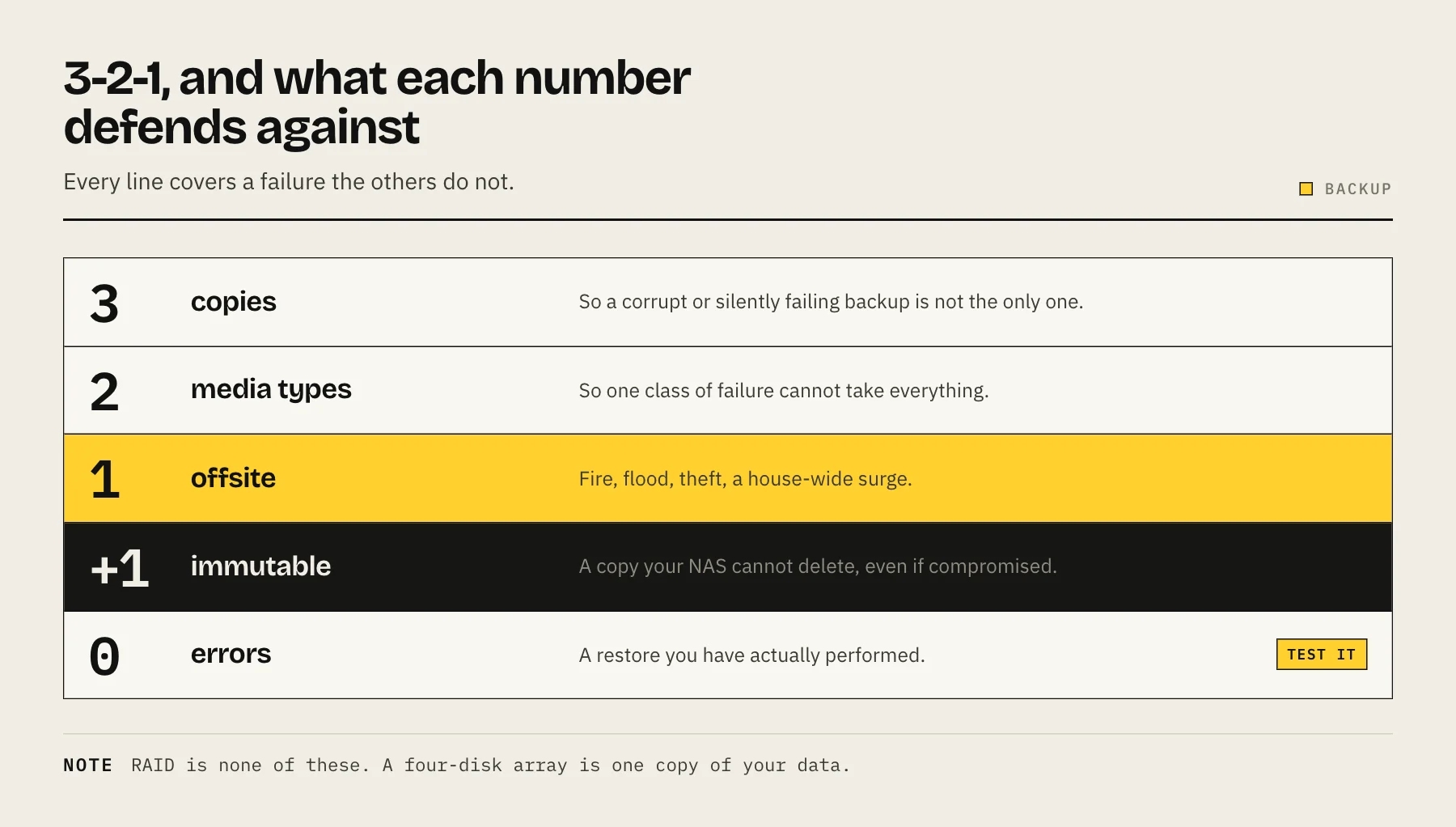
What each number is defending against
3 copies — the original plus two backups. This protects against a copy being corrupt, incomplete or silently broken. Two copies sounds like enough until you discover the backup has been failing quietly for four months.
2 different media types — so a single class of failure cannot take everything. In practice this usually means spinning disks plus cloud object storage, or NAS plus external drives. The original intent was to avoid a shared failure mode: same drive model, same batch, same firmware bug, same controller.
1 offsite — the one that matters most and gets skipped most. Fire, flood, burglary, a whole-house surge, or ransomware spreading across every writable share. All of them take out everything in the building simultaneously.
RAID is not one of the three
This is worth being blunt about, because it is where most home data loss happens.
A four-disk RAID 6 array is one copy of your data. Redundancy keeps the NAS running when a disk dies. It faithfully replicates:
- Deleting the wrong folder
- Ransomware encrypting your files
- A filesystem or controller failure taking the pool
- Fire, flood, theft, or a power surge
Redundancy protects availability. Backups protect data. They are different problems and you need both.
Snapshots are not one of the three either
Snapshots are extremely useful — they are the fastest way to recover from deletion or ransomware, often in seconds. But they live on the same pool as the original. Lose the pool and the snapshots go with it.
Treat snapshots as a fast local undo layer sitting on top of 3-2-1, not as part of it. See ZFS snapshots vs backups for what each one actually protects.
A working home setup
Copy 1 — the NAS. Your working data, with redundancy so a disk failure is a maintenance event.
Copy 2 — local, different media. An external drive, or a second NAS. Fast to restore from, which matters because most recoveries are ordinary — a deleted folder, a corrupted file — not disasters.
Copy 3 — offsite. Cloud object storage such as Backblaze B2, Wasabi or IDrive e2, encrypted before upload. Far cheaper per terabyte than consumer sync services — see best cloud backup for NAS and our Synology to B2 walkthrough.
An alternative offsite leg: a second NAS at a relative's house, replicating over a VPN. No subscription, both households protected, but it needs someone who will not unplug it.
The modern addition: 3-2-1-1-0
The updated version adds two things ransomware taught everyone:
1 copy immutable or offline. Object lock, immutable snapshots, or a drive that is physically disconnected. The point is a copy your NAS cannot delete even if it is fully compromised. Use dedicated backup credentials with append-only permissions — if the NAS can erase its own backup history, so can whoever compromises the NAS.
0 errors. Verified restores. A backup you have never restored is a hypothesis.
The step everyone skips: test the restore
A backup job reporting success proves it ran. It does not prove the data is readable, the encryption key still works, or that you know the procedure.
A quarterly routine that takes fifteen minutes:
- Restore a single file from each backup target. Open it.
- Restore something older — from a month ago, not yesterday — to confirm retention is working.
- Check that you can actually reach the backup. Do you still have the credentials? The encryption passphrase? Is it written down somewhere that survives the NAS being gone?
- Note how long it took, so you know what a real recovery would cost you in time.
Once a year, do a bigger test: restore a full folder tree to a different machine.
Retention: how far back can you go?
Ransomware and corruption are often discovered weeks after they start. A backup that only keeps the last seven days may have already overwritten every clean copy.
A common home pattern keeps daily versions for a few weeks, weekly for a couple of months, and monthly for a year. Deeper history costs storage, which is why cheap object storage matters. See NAS backup retention policy for how to choose the numbers.
What to back up, and what not to
Always: photos, documents, financial records, anything you created, application data and databases, and the NAS configuration itself.
Consider: media libraries. Re-acquirable content is often the largest thing on the NAS and the least painful to lose. Excluding it can cut your offsite bill dramatically — but be honest about whether your own ripped or home-recorded material is really replaceable.
Never rely on backing up: the operating system by itself. A configuration export plus your data restores faster and more cleanly than a full system image.
Automate it, then monitor it
Manual backups stop happening within about three weeks. Schedule everything.
Then set up notification of failures, and check occasionally that notifications still work. The classic failure is a backup that silently stopped months ago because a credential expired, with nobody watching.
FAQ
Is cloud sync a backup? No. Sync propagates deletions and encryption to the cloud copy. Versioning helps, but a sync service is not a backup tool. See Hyper Backup vs Cloud Sync.
How much does the offsite copy cost? Object storage is typically single-digit dollars per terabyte per month at the time of writing. Check egress and retrieval pricing too — that is what you pay on the day you need it.
Can both backups be on the same NAS? No. Two folders on one machine is one copy.
What if I only have one external drive? That is 2-1-0 and it is much better than nothing. Add the offsite leg when you can; that is the one that turns a bad day into an inconvenience.
Does encryption break the rule? No, and you should encrypt the offsite copy. Just store the key somewhere separate from the NAS.
Sources
- Data Backup Options — CISA
- #StopRansomware Guide — CISA
- 3-2-1 Backup Rule Explained — Veeam
- B2 Cloud Storage pricing — Backblaze
- Object Lock — Backblaze