Keep versions long enough to cover how late you might discover damage, not just how often backups run. A strong home starting point is 24 hourly, 30 daily and 12 monthly recovery points, with at least one isolated copy. Adjust after measuring data change, restore time and storage cost.
A backup schedule answers when to copy. Retention answers how far back you can recover. A nightly job with seven retained versions cannot recover a folder deleted two weeks ago, even though every job completed successfully.
Method: this guide combines original retention and capacity examples with public security guidance. Test the policy with your own NAS and backup application; deduplication, compression and object-storage billing differ.
Four inputs define retention
1. Recovery point objective (RPO)
RPO is the maximum recent work you can lose. If a designer can lose at most four hours, daily backups are too infrequent. Frequent snapshots may cover the short RPO while an offsite job runs nightly.
2. Detection time
How long before you notice the problem? Ransomware may be immediate, but corruption in an archive can remain hidden for months. Retention must extend beyond realistic detection time.
3. Change rate
Backing up 10 TB does not necessarily create 10 TB every day. Incremental repositories store changed blocks/files. Measure daily changed data; video editing, VM images and databases churn far more than a photo archive.
4. Recovery time objective (RTO)
Keeping many cloud versions protects history, but restoring several terabytes over a slow connection may miss the required recovery time. A fast local repository and a slower offsite copy can serve different RTOs.
A practical GFS schedule
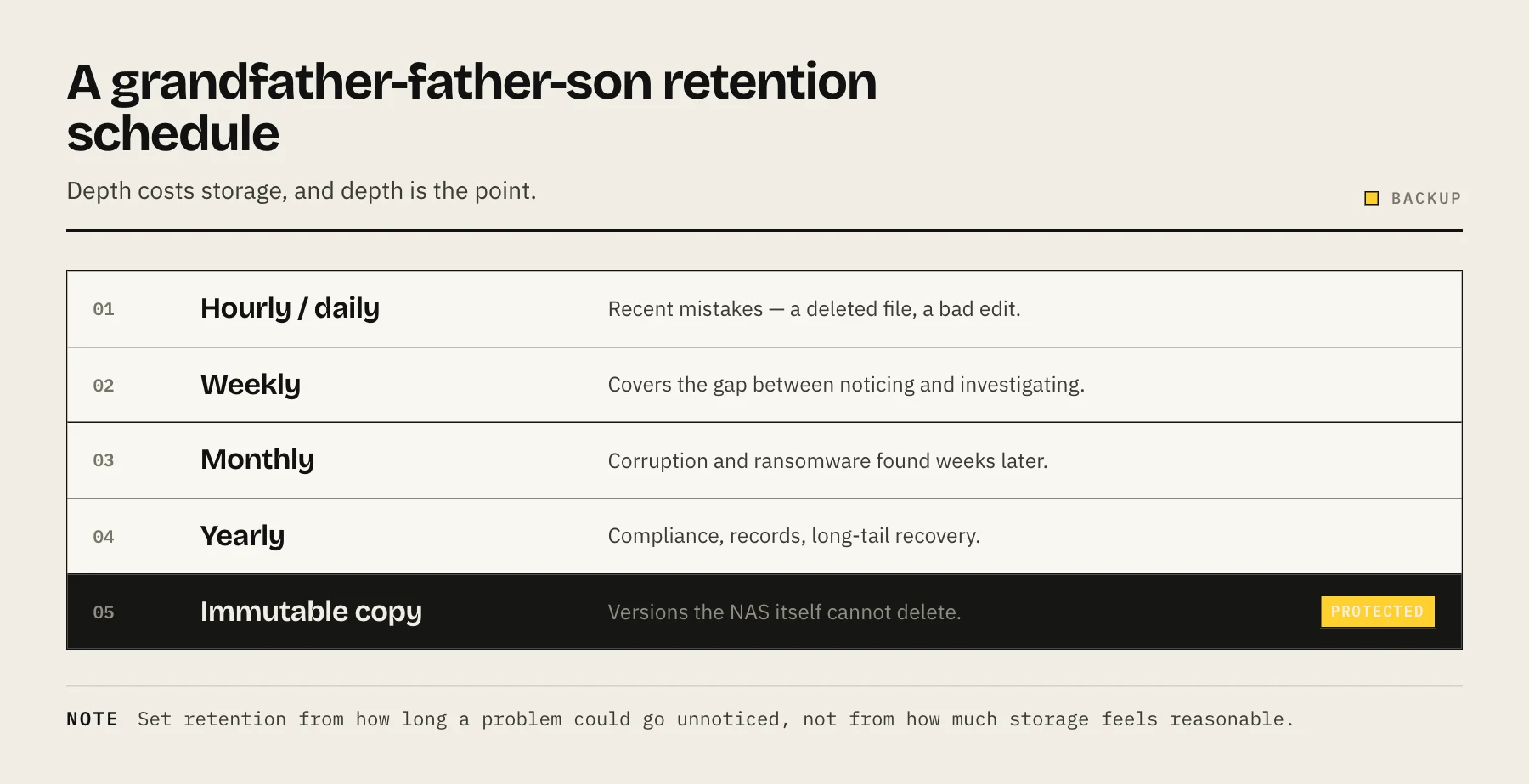
Grandfather-father-son rotation keeps dense recent history and fewer older points:
| Layer | Example retention | Purpose |
|---|---|---|
| Hourly | 24–48 | Undo same-day mistakes |
| Daily | 30–60 | Cover delayed discovery |
| Weekly | 8–12 | Bridge monthly history |
| Monthly | 12–24 | Long-term reference |
| Annual | 3–7 where required | Legal/archive needs |
Do not keep annual versions without a reason. Long retention increases privacy exposure, key-management burden and cost.
Three worked policies
Family NAS
Data: photos, documents and device backups. Keep local snapshots hourly for 48 hours and daily for 30 days; retain 12 monthly offsite versions for irreplaceable folders. Exclude replaceable media.
Creator NAS
Active projects change heavily. Keep hourly snapshots for a week, daily repository versions for 60 days and monthly archives for completed projects. Use application-aware exports for catalogs/databases. Move completed projects into a lower-churn dataset.
Small office
Keep hourly business-file versions, daily backups for 90 days and monthly versions according to legal policy. Isolate destination administration, document holds, and test a full service restore—not just individual files.
Estimate storage before enabling retention
rough version storage = full dataset + daily changed data × retained days × efficiency factor
Example: a 4 TB dataset changes 20 GB per day. Ninety uncompressed daily changes add up to 1.8 TB, for 5.8 TB before metadata. Deduplication may reduce it; VM/database churn may reduce dedup efficiency.
Snapshot space follows changed blocks too. Deleting a large live file may not free space until snapshots referencing it expire. Alert before the pool becomes critically full.
Retention and ransomware
History helps only if attackers cannot erase it. Restrict snapshot administration, use separate destination credentials and keep an offline or protected offsite copy. Preserve versions longer than the likely time to detect compromise.
Do not automatically copy encrypted files over every good version forever. Monitor mass changes and pause replication when an incident is suspected.
Configure policy by dataset
One global policy wastes space and may miss critical data. Separate:
- Active documents/projects: frequent, longer history.
- Databases: application-aware exports plus repository backup.
- Media: less frequent if replaceable.
- Container configuration: small, frequent versions.
- Cache/transcodes/downloads: no backup.
Dataset boundaries make retention, quotas and restore ownership clear.
Monthly review
- Confirm newest and oldest available recovery points.
- Compare repository growth with the capacity forecast.
- Investigate skipped files and failed pruning.
- Restore a recent and an older version.
- Verify encryption keys outside the NAS.
- Add newly created shares/applications to the right policy.
Common mistakes
- Retaining only seven daily versions because it is the default.
- Keeping unlimited versions until the destination fills.
- Assuming snapshots on one pool are independent backups.
- Backing up live database files without supported exports.
- Giving the source administrator deletion rights to every copy.
- Testing backup completion but never restore.
FAQ
How many versions are enough? Enough to cover RPO and detection time, plus older checkpoints for rare discoveries. There is no universal number.
Should local and cloud retention match? Not necessarily. Local can be dense and short for fast rollback; offsite can be less frequent and longer.
Does immutable mean permanent? No. Immutability normally protects data for a configured period; expiry and account-level controls still matter.
When should retention shrink? Only after verifying legal requirements, detection needs and independent copies. Reduce replaceable datasets first.
For copy architecture, see The 3-2-1 Backup Rule for Your NAS. For cloud costs, see Best Cloud Backup for NAS.
Retention change-control worksheet
Before changing a policy, record the current oldest recovery point, proposed oldest point, space expected to be freed, legal/business owner and last successful restore. Apply the change to a non-critical dataset first and confirm pruning removes only intended versions.
Retention is destructive automation: after old recovery points expire, they cannot be recreated. Avoid shortening local and offsite history on the same day. Stagger changes so one destination still covers the former window while the new policy proves stable.
Alert thresholds
Create warnings for repository capacity, job age and pruning failure. A destination can fill because source churn rises, snapshots are held for replication, or retention stops pruning. Alert on trend, not only “disk full”; expansion ordered at 95% usage is already late.
Annual recovery exercise
Pick a historical month, restore a representative directory and application export to clean storage, and time each step from credential retrieval to user access. Verify an administrator who did not design the system can follow the document. Record gaps, update key locations and revise the RTO. This exercise validates both the retained data and the human process needed to use it.
Policy ownership
Assign a person to approve retention changes and another destination that acts as the safety check. Record why each tier exists. When storage pressure appears, delete replaceable datasets or reduce unnecessary frequency before shortening the only history for critical data. If a legal hold, insurance condition or customer contract applies, technical administrators should not improvise the retention period. The written policy should also state what happens when a job has not run: missed hourly points do not justify silently extending later pruning, and a failed offsite job should trigger investigation before local history expires.
Treat every retention reduction as a recovery-risk change and require a fresh restore test before approval. Keep the previous policy record so later incidents can explain which versions were intentionally expired.
Sources
- Data Backup Options — CISA
- #StopRansomware Guide — CISA
- Recovery Point Objective (glossary, from NIST SP 800-34 Rev. 1) — NIST CSRC
- Recovery Time Objective (glossary) — NIST CSRC
- Object Lock — Backblaze