Docker packages an application with everything it needs into an image, which runs as a container. On a NAS this means you can install Jellyfin, Immich or Pi-hole without their dependencies colliding, and remove them cleanly afterwards. Learn four ideas — image, container, volume, network — and use Compose files rather than clicking through a GUI.
Docker is the reason a modern NAS can run a dozen services without turning into an unmaintainable mess. It is also where most beginners' data-loss stories begin, because of one concept: what happens to your files when a container is recreated.
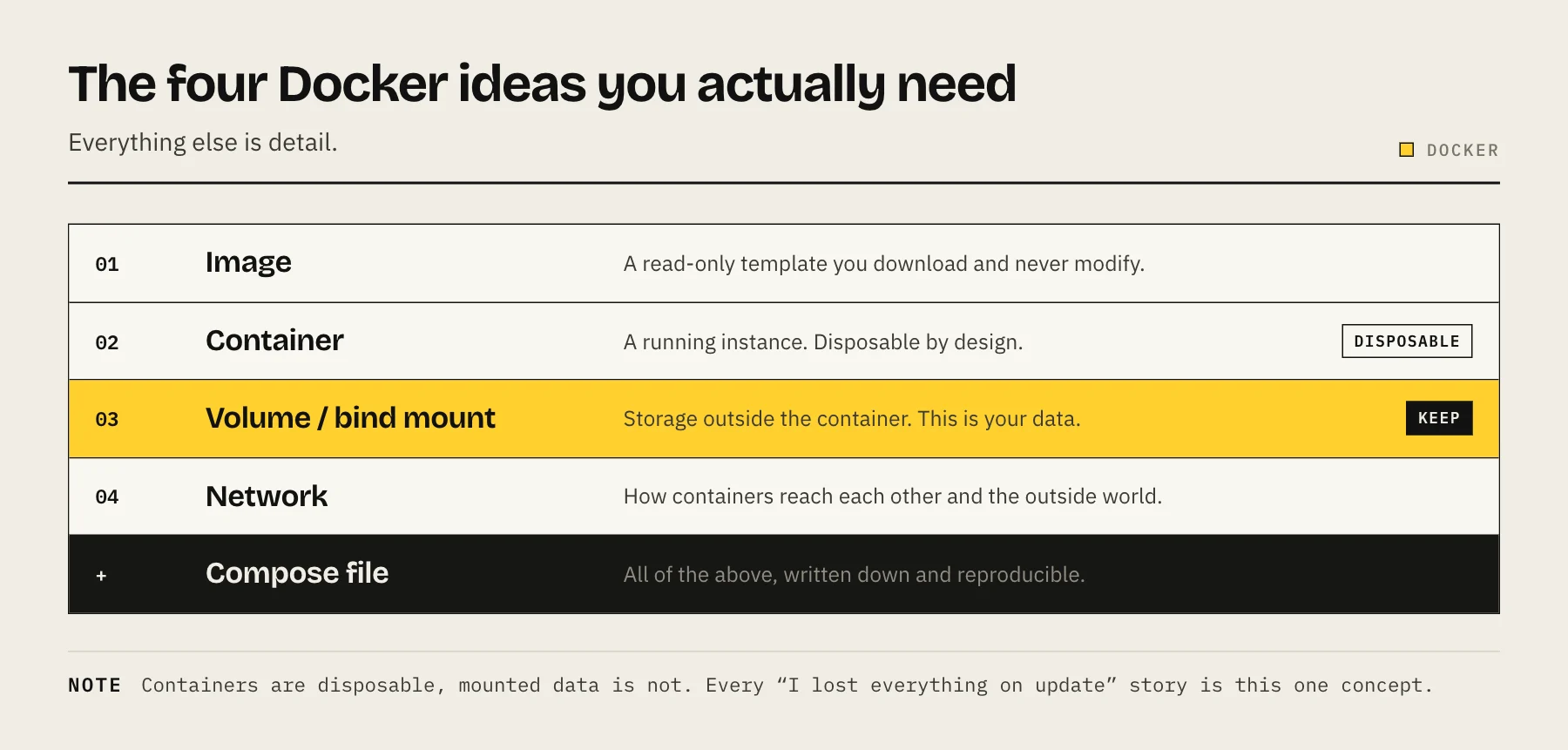
The four ideas you actually need
Image — a read-only template. jellyfin/jellyfin:12.2 is an image. You download it; you do not modify it.
Container — a running instance of an image. Disposable by design. You will delete and recreate containers constantly, and that has to be safe.
Volume or bind mount — storage that lives outside the container. This is the important one. Anything written inside a container's own filesystem disappears when the container is removed. Configuration and data must live on a mounted path.
Network — how containers reach each other and the outside world. Containers on the same user-defined network can address each other by name.
If you internalise only one thing: containers are disposable, mounted data is not. Every "I updated the container and lost everything" story is this concept, learned the hard way.
Use Compose, not the GUI
Synology's Container Manager and QNAP's Container Station let you configure containers by clicking. It works, and it is a trap — six months later you cannot remember what you set, and nothing is reproducible.
A Compose file is a few lines of YAML describing the whole setup. It is documentation, backup and rebuild procedure at once:
services:
  jellyfin:
    image: lscr.io/linuxserver/jellyfin:version-12.2ubu2604
    container_name: jellyfin
    restart: unless-stopped
    ports:
      - "8096:8096"
    volumes:
      - /volume1/docker/jellyfin/config:/config
      - /volume1/docker/jellyfin/cache:/cache
      - /volume1/media:/media:ro
    environment:
      - PUID=1026
      - PGID=100
      - TZ=Europe/London
Both Synology and QNAP now support importing Compose files directly, and TrueNAS and Unraid handle them natively. Keep these files in one folder, back that folder up, and rebuilding your entire stack becomes one command.
Set up your folders before your first container
Decide the layout once:
/volume1/docker/
├── jellyfin/config
├── immich/{config,data}
├── vaultwarden/data
└── compose/           # every compose file lives here
One parent directory means one backup job covers every application's data, and a full rebuild means restoring one tree.
PUID, PGID and the permission problem
The most common beginner failure: the container starts, then cannot read or write your files.
Containers run as a user ID that usually does not correspond to anyone on your NAS. If the container runs as UID 1000 and your media belongs to UID 1026, it sees permission denied.
Find your NAS user's IDs over SSH:
id your-username
Then set PUID and PGID in the Compose file. Most well-maintained images support these; some use a user: directive instead. Our guide to Docker PUID and PGID on a NAS covers the cases where it is less obvious.
Ports, and how to stop guessing
"8096:8096" maps host port 8096 to container port 8096. If two containers want the same host port, change the left side only: "8097:8096".
Keep a list of what you have assigned. Once you have several services, a reverse proxy removes the need to remember ports at all.
Only publish ports you actually need. A database used by one application does not need a host port — put both containers on the same Docker network and let them talk internally.
Pin your tags
latest means "whatever was published most recently", which turns every restart into an unplanned upgrade. A breaking change arrives without warning, usually while you are doing something else.
Pin a specific version once a service matters:
image: lscr.io/linuxserver/jellyfin:version-12.2ubu2604
Then update deliberately: read the release notes, back up the data folder, change the tag, recreate.
Updating, safely
cd /volume1/docker/compose
docker compose pull
docker compose up -d
Before that, for anything holding data: back up the data folder and check the release notes for breaking changes. Applications with databases — Immich, Nextcloud, Paperless-ngx — sometimes need migrations run in order, and skipping several versions at once can be unsupported.
Old images accumulate. docker image prune -a reclaims the space once you are confident.
Backing up containers
You do not back up containers — they are disposable. You back up:
- The data and config folders (your
/volume1/dockertree). - The Compose files.
- Database dumps, for applications that use one. A file-level copy of a live database directory can be inconsistent; use the application's own export or
pg_dump/mysqldumpwhere it matters.
With those three, a total NAS failure means restoring a folder and running docker compose up -d.
Common problems
Container restarts endlessly. Read the logs: docker logs container-name. It is almost always permissions or a missing mounted path.
Changes disappear after an update. Something was written inside the container instead of to a mounted volume. Check your volume mappings.
Port already in use. Two containers want the same host port. Change one.
Timezone is wrong in logs. Set TZ in the environment.
It works locally but not remotely. That is a networking question, not a Docker one — see accessing your NAS remotely.
FAQ
Do I need a powerful NAS? Containers are light. A handful of small services runs on modest hardware; Immich and Nextcloud are the ones with real appetite. See how much RAM a NAS needs.
Docker or virtual machines? Containers for applications — lighter and faster. VMs when you need a different OS or stronger isolation.
Is running containers as root safe? Prefer PUID/PGID and avoid privileged: true unless an image genuinely requires it, which is rare.
Where do images come from? Docker Hub and GitHub Container Registry mostly. Prefer official or well-known community images (linuxserver.io is a reliable source) over unmaintained ones.
Sources
- Storage (volumes, bind mounts, container data persistence) — Docker Docs
- Bridge network driver (name resolution on user-defined networks) — Docker Docs
- Docker Compose — Docker Docs
- docker image prune — Docker Docs
- Jellyfin container installation — Jellyfin
- linuxserver/jellyfin — LinuxServer.io